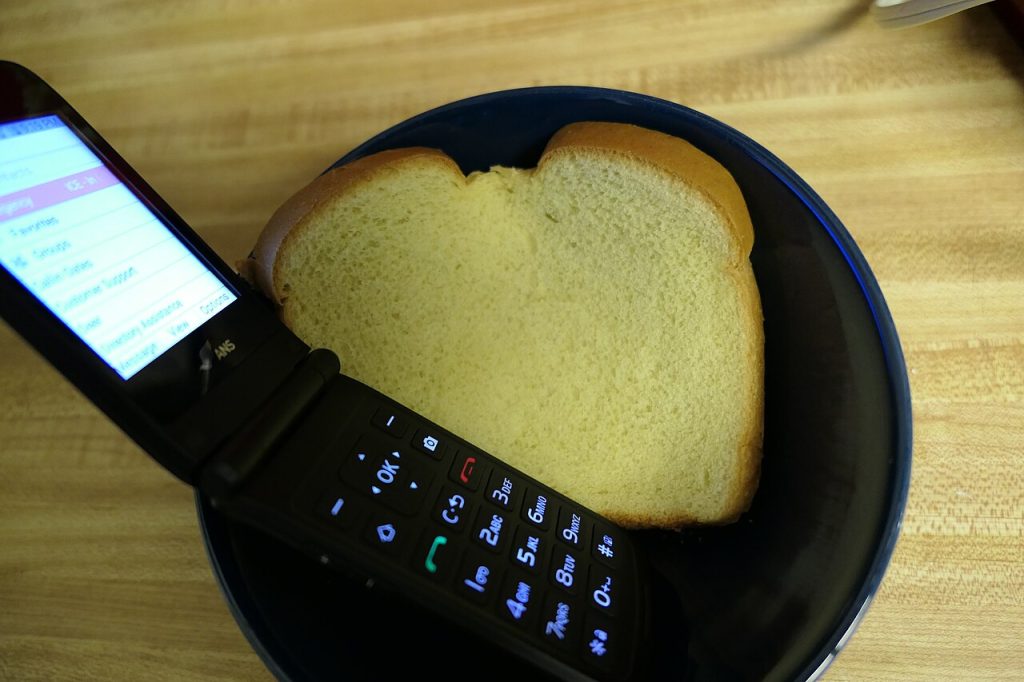
Plenty of people want fewer notifications, a battery that lasts days and a phone that does not tempt them to scroll. Plenty of those same people also need WhatsApp, because their family, work or neighbourhood group chat lives there. The question is whether a WhatsApp flip phone can fit both wishes in one small device.
The honest answer is: sometimes. A WhatsApp flip phone is possible, but it depends on the system inside the phone, and cheap phones that look similar can behave very differently.
A quick word of caution before spending: sellers sometimes use the word smart for phones that merely add a camera or a radio, so read the specification closely.
What decides whether a WhatsApp flip phone works
Traditional basic phones run a simple, closed system that cannot install ordinary apps. WhatsApp cannot run on them at all. Some newer models use lightweight versions of well-known software, or a stripped-down system designed for keypad phones, and these can run a limited set of apps.
Then there are flip phones that are really small smartphones. They run a full mobile system, open an app store and handle WhatsApp like any other phone, just through a keypad or a tiny screen. Those are far closer to a smartphone in battery life and distraction than their appearance suggests.
So the first question is not the shape but what runs inside. Check the listing for the operating system and look for a note that names WhatsApp or lets you install apps. If a seller is vague, treat that as a no.
Messaging itself is only part of it. Notifications behave differently, too. On a full smartphone, a message sound is joined by a banner and a badge. On a simple keypad phone, you may get only a beep, which many people find far calmer.
What a WhatsApp flip phone is like to use
Even on a WhatsApp flip phone that works properly, expect compromises. Typing a long message with a keypad is slow. Photos load more slowly on small screens, voice and video calls may be unreliable, and some phone-based features, such as viewing status updates, can feel awkward.
Battery life is a trade. A basic phone can last for days, but adding an always-connected messaging app uses more power. You may charge every day or two, still better than most smartphones.
Imagine a grandparent who wants a WhatsApp flip phone to receive photos from grandchildren. On a suitable model, photos arrive and open, and voice notes play. Replying means a short typed reply or a quick voice message. That is perfectly workable. Group chats with hundreds of messages a day are a different matter.
The cost of a WhatsApp flip phone deserves a line. Prices for these hybrid phones vary widely, and some sellers charge a premium for the retro look. Compare the specification with a cheap standard smartphone before you decide that the shape is worth the money.
Think about your contacts, too. If most of your WhatsApp use is voice notes and short text, a WhatsApp flip phone will do well. If your group chats rely on stickers, documents and long forwarded videos, you will feel the limits quickly. Ask a friend who owns the model to show you how it handles your busiest chat.
How to check a WhatsApp flip phone before you buy
Look up the exact model name, not just the brand. Search for its name alongside the word WhatsApp, and read recent reviews from owners. Look at the manufacturer’s page for the supported apps and the operating system version.
Ask about the return policy. If you can test the phone at home for a week and return it, a failed experiment costs nothing. Make sure the phone supports the mobile network bands used in your country, since a phone that cannot find signal is useless however many apps it runs.
Remember that WhatsApp needs a phone number for verification. Have a SIM ready, and check whether the setup requires a code sent by text. Also note the security side: keep the software updated, and be careful with unknown links in chats, as basic phones are not immune to scams.
Whatever you choose, back up your chats before changing devices, using the app’s own backup option, so that a switch does not cost you years of conversations.
Alternatives if a WhatsApp flip phone does not fit
If your target is simply to be less distracted, you may not need to give up smartphones completely. Turn off most notifications, remove social apps, use grayscale mode and keep WhatsApp as the only messaging tool. Many people find that gets them most of the benefit.
Another option is to carry two devices: a basic phone for calls and texts, and an old smartphone kept at home on wifi for messaging. That separates the roles and avoids accidental scrolling in the street.
Some people also use WhatsApp on a computer through the web version, linked to a phone that stays in a drawer. That setup depends on the main phone staying connected, so check how it behaves in your situation.
The best approach is to decide what you actually need. If it is calls, texts and the occasional family photo, a compatible WhatsApp flip phone may be perfect. If you are hoping for a full chat experience in a pocket-sized shell, expect to be disappointed. Check the system first, read owner reviews and keep your receipt.
Related reading: Tiny E-Readers: Are Pocket-Sized Ebook Screens Worth Buying? and MacBook Pro Release Date and Touchscreen Rumors: Buy Now or Wait?.
Photos: Kansattica (CC BY 4.0, Wikimedia Commons); ArnoldReinhold (CC BY-SA 4.0, Wikimedia Commons).