
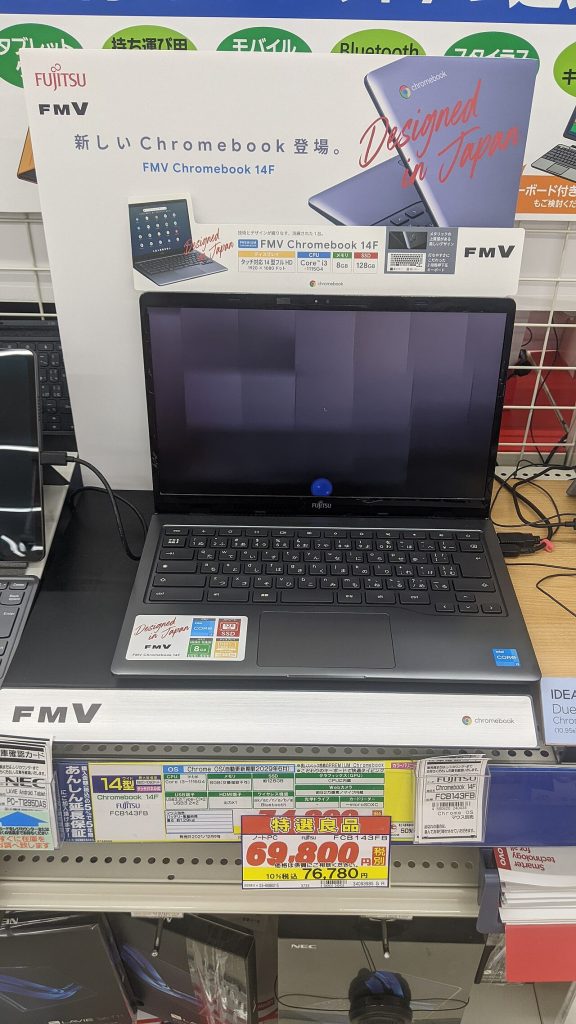
When Google first showed a laptop whose whole operating system was a web browser, the reaction from reviewers was a mix of curiosity and doubt. How could a machine with no traditional apps replace a real computer? More than a decade later, Chromebooks sit in classrooms, offices, and homes around the world. Looking back at the early reviews is a useful reminder of how much depends on the ecosystem around a product, not just the product itself.
What the early reviewers worried about
Those first pilot reviews raised a consistent set of concerns.
- Offline use. If everything lives on the web, a lost connection means a useless laptop.
- Missing software. There was no way to install familiar desktop programs.
- Limited storage. Local disks were small, and the idea of keeping files online felt risky.
- Internet speed. Home broadband and mobile data were slower and more expensive than today.
- Privacy. Putting documents and email on a company’s servers made some people uneasy.
All of these were fair at the time. A browser-only device in the early 2010s needed a good connection, and web apps were less capable than they are now.
What they got wrong
The reviewers could not fully predict how much the web itself would improve. Word processing, spreadsheets, video calls, music, photo editing, and project management all became strong browser applications. Offline modes arrived for documents and email. Later, support for Android apps and Linux tools filled gaps that the first version left open.
Cost was another factor that reviews underestimated. A simple machine with modest hardware could be sold cheaply, which made it attractive to schools buying hundreds of units. Updates arrive in the background, and a managed fleet is far easier for an IT department to maintain than a mixed collection of ageing Windows laptops.
What they got right
The doubts about power and flexibility have some truth even now. A Chromebook is not the best tool for heavy video editing, large 3D work, or software that requires a particular desktop program. Low-end models can feel slow with many tabs open. Storage is still small on cheap machines, and you will depend on cloud services.
Reviewers were also right that the device’s usefulness depends on the account behind it. A Chromebook is most comfortable if you already use Google’s email, documents, and calendar. If you rely on tools from other vendors, the experience still works, but you rely on web versions.
Who benefits most today
Chromebooks suit some people better than others.
- Students. Cheap, light, and quick to sign in, with easy management for schools.
- Office staff with web-based tools. If your work is in a browser, a managed Chromebook cuts support headaches.
- Casual home users. Email, browsing, streaming, and video calls run smoothly.
- Second-device buyers. People who want a light travel machine in addition to a main PC.
It is a weaker fit for gamers, creative professionals, and anyone with specialised desktop software.
Buying advice if you are considering one
Check the end-of-support date for updates, which varies by model and is listed by the maker. Aim for at least eight gigabytes of memory if you keep many tabs open. Look at the screen and keyboard in person, since cheap models often cut corners there. If you need Android apps, confirm that the model supports them.
Read the storage specification and plan for cloud backup. A drive that holds 32 or 64 gigabytes is fine if your files are online, and tight if you download a lot.
Lessons from the old reviews
The most interesting thing about looking back is how a product can change faster than the opinions about it. The browser improved, broadband spread, and school budgets pushed buyers toward cheap and manageable devices. None of that was obvious in the first reviews, and it shows why you should hold judgments about new categories loosely.
Bottom line
The early skepticism was reasonable, and the idea turned out to fit a large group of users. If most of what you do already happens in a browser, a Chromebook can be a simple, reliable, low-cost laptop. If you need heavy desktop software, stay with a traditional computer. Match the machine to your actual tasks and you will avoid disappointment.
Further reading
Related on this site: Buying a Tablet With a Built-In Voice Assistant: A Checklist and Wireless Charging Explained: How Qi and Long-Range Power Work. For general background, see the Wikipedia overview.



