Your office network may have worked well when most connected devices were desktop computers and printers. Now, wireless access points, security cameras, smart sensors, and building control systems also need reliable connections. More devices mean more network traffic. Slow connections, full switch ports, and poor visibility can disrupt daily work. The cause may be limited switch capacity, congested uplinks, or an outdated network design.
A practical solution starts with your switching infrastructure. You need enough ports, suitable bandwidth, reliable power delivery, and strong security features. Your network should also support future growth without requiring a complete replacement.
Learn why campus switches matter as your network supports more wireless devices, IoT systems, and cameras.
1. Match Port Capacity to Device Growth
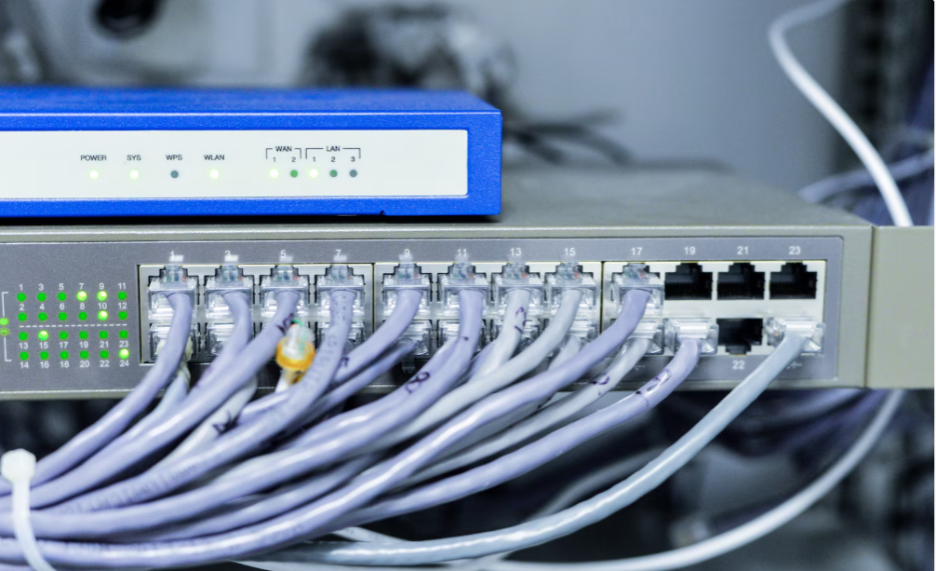
Your network must have sufficient switch ports to accommodate all the devices in the network. Access points, IP cameras, smart sensors, printers, and computers require good connections. These devices are supported by campus switches. Selecting appropriate port counts will assist you in avoiding frequent hardware changes as your inventory of devices increases.
Port capacity is only part of the equation. Uplink speed and bandwidth are other aspects to consider. A switch that has numerous Gigabit Ethernet ports could still become congested when its uplinks are unable to deliver the traffic effectively. Therefore, faster uplinks may assist in the transfer of data between access switches and core network equipment.
The ability to forecast future demand on devices is also important prior to selecting your switches. Assess the existing number of connections and factor in projected additions over the next few years. Leave room for growth without buying more capacity than you need. A balanced design is one that supports growth and helps control infrastructure costs.
2. Protect Bandwidth for Critical Traffic
IoT devices, wireless access points, and security cameras produce various types of traffic. Your switches have to manage these demands without one active group of devices disturbing other services. Smart sensors could provide small data updates, whereas security cameras could transmit video in real time. Wireless access points also carry traffic from many users at once.
Quality of Service (QoS) helps you prioritize selected traffic. You might give voice calls or time-sensitive applications higher priority than routine data transfers. Video surveillance can also require special attention, particularly when a camera transmits high-resolution footage to recording systems. QoS helps control congestion, but it cannot replace sufficient bandwidth.
When designing your network, think about Layer 2 and Layer 3. Layer 2 switches carry traffic between segments in a local network. Layer 3 switches can also route traffic between IP networks. The correct option varies according to your network planning, devices, and routing requirements. An appropriate layout allows predictable performance as demand increases.
3. Deliver Power Where Devices Need It
Power over Ethernet (PoE) can be used to provide both power and data to wireless access points, IP cameras, and certain IoT devices. A compatible switch provides power and data over a single Ethernet cable, eliminating separate power adapters and making installation easier.
Check the total PoE budget before connecting devices. Each device has a certain power draw, and a switch may have enough PoE ports but lack sufficient power to run all connected devices. Therefore, review both port-level limits and the total power budget.
Align the PoE standard with your equipment. PoE, PoE+, and PoE++ support different power levels, and some access points or cameras require more power than others. Check device specifications to ensure compatibility and avoid costly hardware changes.
4. Strengthen Access and Network Security
Every connected device adds another point for your IT team to manage. Cameras, sensors, and access points may use different software and have different security needs. If every device shares one unrestricted network, a compromised device could expose other systems to risk. Your switch configuration should limit unnecessary communication between device groups.
Virtual LANs (VLANs) let you separate traffic into logical network segments. You might place cameras on one VLAN, employee devices on another, and IoT equipment on a third. Access control lists can further restrict traffic between segments. These measures help contain risks and make network access rules easier to manage.
Check which security features each switch supports. Options may include port security, access control lists, secure management protocols, and MACsec on selected models. Monitoring tools can also help your IT team identify unusual traffic or configuration problems. Combine suitable switch features with regular software updates and sound device management for stronger network protection.
5. Improve Network Reliability and Control
As your network grows, a switch failure or configuration issue can affect more users and services. A failed access switch may disconnect multiple devices, disrupting wireless access or camera coverage. Managed switches help your IT team monitor ports, review traffic, and control network settings.
Redundant uplinks can protect against link failures, while resilient network paths help maintain service during equipment faults. Backup power addresses electrical outages. Choose reliability measures based on your network's needs and the potential impact of downtime.
Select equipment that fits your current architecture and future plans. Compare port density, uplink speeds, PoE capacity, security features, and software compatibility. Larch Networks offers campus and access switches for different network requirements. Review each model's specifications before making a purchase.
Conclusion
Campus switches become more important as wireless access points, IoT devices, and cameras increase network demand. The right equipment provides sufficient ports, suitable bandwidth, reliable power, and stronger access controls. Good network design also helps your IT team manage growth without sacrificing performance or reliability.
Start by listing your connected devices and estimating future demand. Check uplink capacity, PoE budgets, security features, and redundancy needs. Then compare compatible switch models against those requirements. A careful assessment can help you prevent bottlenecks, control costs, and maintain reliable connectivity across your workplace.