

Every household eventually hits the same wall. Photos fill the phone, the laptop is nearly full, and a single external drive in a drawer does not feel like a safe place for ten years of memories. A home NAS device, short for network-attached storage, is the common answer. It is a small box with hard drives inside that sits on your network and acts like a private cloud. Here is how to think about buying one without getting lost in specifications.
What a home NAS device actually is
A NAS is a tiny computer built to store and serve files. You plug it into your router, and every device in your home can read from and write to it. Many models also let you reach your files from outside the house, stream movies to a TV, and run automatic backups from laptops and phones.
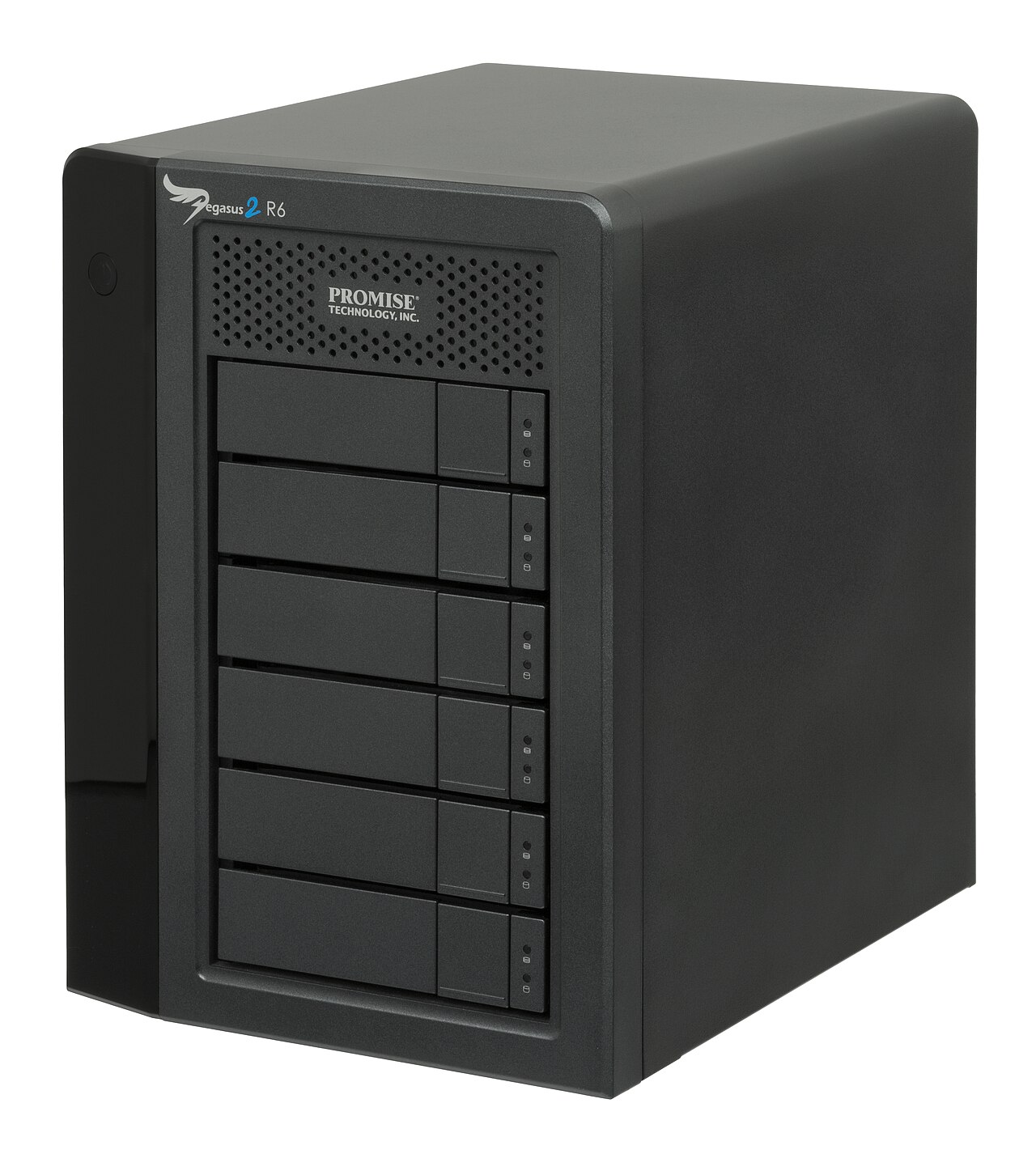
It differs from a plain external hard drive in two ways. First, it is available to many devices at once without being plugged into any of them. Second, it can protect your data from a drive failure, which is the part that matters most. That second point is why people pay extra for a home NAS device.
Understand redundancy first
Hard drives fail. It is not a question of if, only when. Most home NAS device models hold two or more drives and can arrange them so that if one dies, nothing is lost. The simplest arrangement is mirroring, where two drives hold identical copies. Others spread data and recovery information across several drives, so you gain more usable space while still surviving one failure.
This leads to the most important rule in the whole subject: redundancy is not a backup. Mirrored drives protect against hardware failure. They do not protect against accidental deletion, a virus that encrypts your files, a power surge, a fire or theft. A real backup means another copy somewhere else, ideally in another location.
What to look at when choosing a home NAS device
The spec sheet is long, and brands love to bury you in numbers. Only a few items decide whether you will be happy with a home NAS device a year from now. Think about how many people will use it, what they will store and how much downtime your household can tolerate. but only a few items decide whether you will be happy.
Number of drive bays. Two bays suit most homes. Four bays give more room to grow and more flexible protection, but they cost more and use more power. Think about how much you will store in five years, not just now.
Processor and memory. For file storage and backups, a modest processor is fine, and a home NAS device with a quiet low-power chip will cost less to run. If you want to stream video that needs conversion on the fly, run several apps or host a media server, more power helps.
Network connection. A basic gigabit port is enough for most households. Faster ports matter if you move large video files often.
Software. The built-in software is where you will spend your time. Look for a clear interface, easy user permissions, scheduled backups, automatic updates and a good mobile app. A powerful box with confusing software gets abandoned.
Noise and power. Spinning drives make noise and use electricity. If the box will sit in a living room or bedroom, check reviews for fan and drive noise.
Picking the drives
Do not put ordinary desktop drives in a home NAS device that runs around the clock. Drives marketed for NAS use are designed for continuous operation and handle vibration from neighbors in the enclosure better. Buy drives from different batches if you can, since drives made together sometimes fail around the same time. It is also smart to leave room. A drive that is nearly full can slow down, and you will want space for snapshots and growth.
Security cannot be an afterthought
A home NAS device holds your most personal files, so treat it carefully:
Change default usernames and passwords immediately.
Turn on automatic software updates, or check often.
Do not expose the device directly to the internet unless you understand how to secure it. A VPN into your home network is safer than opening ports.
Use separate accounts for family members, with only the access they need.
Enable two-step verification where it is offered.
Is it worth it versus the cloud?
Cloud storage is simpler. You pay a monthly fee, someone else maintains the hardware, and you reach files anywhere. A home NAS device costs more upfront, needs some setup, and makes you the administrator. In return, you own your data, avoid ongoing fees and get fast local transfers.
Many careful people use both. The home NAS device is the fast, private home base, and an encrypted copy goes to a cloud service or to a second drive stored somewhere else.
If you are unsure, start small. Pick a two-bay unit from a well-known maker with a track record of software updates, add two NAS-rated drives, and use it for phone photo backup and shared family documents first. You can add media streaming later.
Remember that the box is only as good as your habits. Check that backups actually run, test restoring a file now and then, and keep one copy off-site. A home NAS device that quietly fails to protect you is worse than none, because you think you are covered when you are not.
For a neutral background reference, the Wikipedia article on Network-attached storage is a useful place to start.
Related reading: Smart Toothbrush Buying Guide: What Actually Matters and 3G, 4G, LTE and 5G: What the Mobile Network Labels Mean.



