
Most
In this article
laptops on shelves share a surprisingly similar origin story. Designs may come from California or Taiwan, chips from several countries, and final assembly from factories in Asia. So when a company announces a domestic laptop built for sensitive customers, it raises fair questions. What does that mean in practice, and does it matter to anyone outside the defense and government world?
The global supply chain, briefly
A laptop contains hundreds of parts. The processor, memory, storage, display, battery, wireless chips, and a long list of smaller components each come from specialized suppliers, often in different places. Boards are assembled with machines, firmware is loaded, and the device is tested and shipped.
That system is hugely efficient. It’s also hard to see into. If you need to know where every part came from and who touched it, a global chain makes that difficult.
Why some buyers want a domestic laptop
- Supply chain security. Organizations handling sensitive information worry about tampering with hardware or firmware before delivery.
- Traceability. Knowing the origin of components and the people who worked on them supports audits.
- Regulation and procurement. Some government purchases favor or require domestic production under certain conditions.
- Resilience. Reducing dependence on distant factories helps when shipping or politics are disrupted.
What made in a country really means
This phrase is slippery. A device might be assembled domestically while many parts still arrive from abroad. Rules for origin labeling vary, and a product can be assembled in one place, with a high share of imported components, and still qualify under some definitions.
True end-to-end domestic production, from silicon to screws, is rare for any consumer electronic device. Processors, for example, are fabricated in a small number of facilities worldwide, a point covered in the overview of semiconductor device fabrication. So buyers should ask precisely what is domestic: design, assembly, firmware, testing, or all of them.
Security is more than geography
A device assembled at home isn’t automatically safer. Security comes from specific practices:
- Verified firmware and secure boot to confirm only trusted software loads.
- Component screening and documented sourcing.
- Hardware-based protections for encryption keys.
- Careful control of the build process, including who has physical access.
- Ongoing updates and support for vulnerabilities.
A well-run overseas facility can beat a sloppy local one. Location is one factor among many.
The cost side of a domestic laptop
Domestic laptop production usually costs more, because of higher labor costs, smaller volumes, and a less mature supplier network. That’s acceptable for a customer who needs the assurance and has the budget, such as a defense agency. For an ordinary consumer comparing prices, the premium is harder to justify.
Smaller production runs also mean fewer model choices and potentially slower upgrades. Performance may trail the newest mainstream laptops if the design cycle is longer.
Who should care about a domestic laptop
- Government and defense contractors. Strong reasons to ask for provenance.
- Critical infrastructure operators. Utilities, hospitals, and financial institutions that face targeted threats.
- Regulated industries. Where procurement rules apply.
- Everyone else. Probably better served by strong security habits (see our smart home security buyers guide for a similar mindset): updates, encryption, strong passwords, and careful handling of unknown files.
Questions worth asking about any domestic laptop
- Which components and which steps are actually domestic?
- How is firmware verified and updated?
- What is the warranty and repair process?
- Can I see documentation of the supply chain?
How to compare a domestic laptop with a mainstream one
Put the two side by side and compare what you can measure. Look at processor generation, memory, storage, weight and battery life first, since these determine whether the machine does your daily work. Then compare the security extras: firmware signing, tamper-evident packaging, drive encryption and the length of the update promise. A domestic laptop that matches a mainstream model on these points and adds clear provenance can be good value for a regulated buyer.
If it falls behind on the basics, ask whether the extra assurance is worth the trade. A slower machine that staff avoid, or work around by using personal devices, can weaken security more than any assembly location can strengthen it. The best domestic laptop is the one people actually use, patched and supported, day after day.
The takeaway
The idea behind a domestic laptop is reasonable: if you can’t trust the path a device took to reach you, you can’t fully trust the device. But it works only when paired with transparency and good engineering. For most of us, the headline matters less than the broader trend, which is a slow push to make electronics supply chains more visible and more resilient.
Support, repair, and long-term ownership of a domestic laptop
A laptop is not a one-time purchase, so it is worth thinking about what happens after the first year. A domestic laptop can sometimes mean easier access to repair centers, replacement parts, and support staff who work in your time zone. For an organization with many machines, that can matter more than the badge on the lid.
Check how long the manufacturer promises to supply firmware and security updates, whether batteries and storage are user-replaceable, and what the warranty actually covers. Some imported models offer excellent support, and some locally built ones do not, so the origin alone proves very little.
Ask for these details in writing before a large order. A vendor confident about its service will answer plainly, and a vague reply is information too. The best choice is usually the machine you can keep running safely for years, wherever it happened to be put together.
Reading the marketing carefully
When a vendor describes a device as American-made or built for secure environments, treat it like any product claim and look for specifics. Ask for a bill of materials summary, details on where the main board is assembled, which firmware is used, and who audits the process. Third-party certifications and published security documentation carry more weight than slogans. It also helps to ask about long-term supply: will replacement parts and updates be available in five years? Rugged or specialized devices are only valuable if they stay supported for as long as the mission lasts. Buyers who ask these questions early avoid expensive surprises later, and vendors who answer them clearly usually deserve more trust than those who deflect.
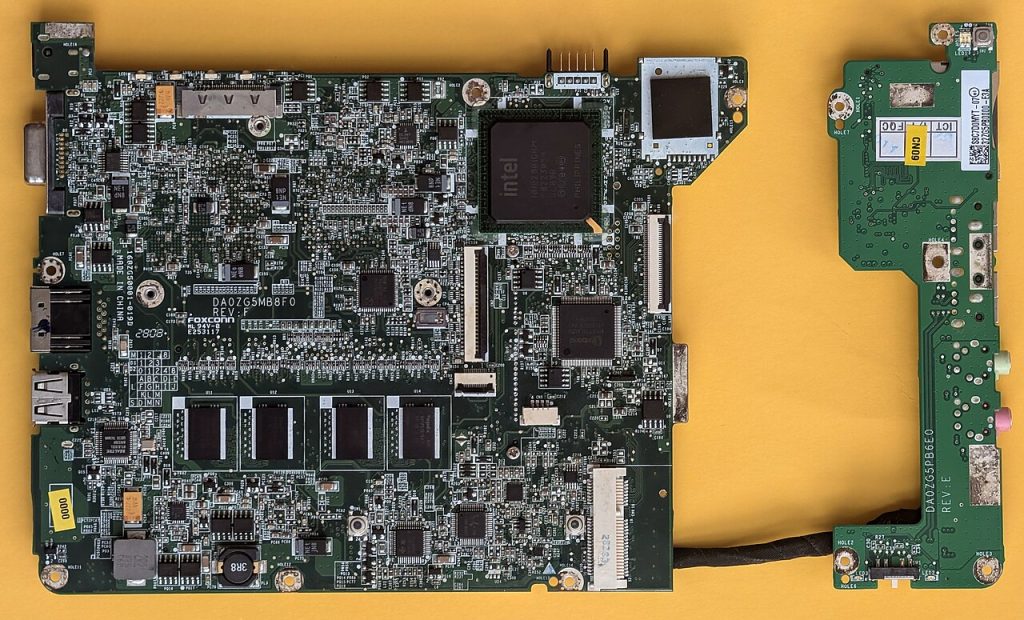
Featured image: Acer Aspire One ZG5 motherboard DA0ZG5MB8F0 – top view.jpg by Siarhei Besarab, CC BY-SA 4.0, via Wikimedia Commons.



