
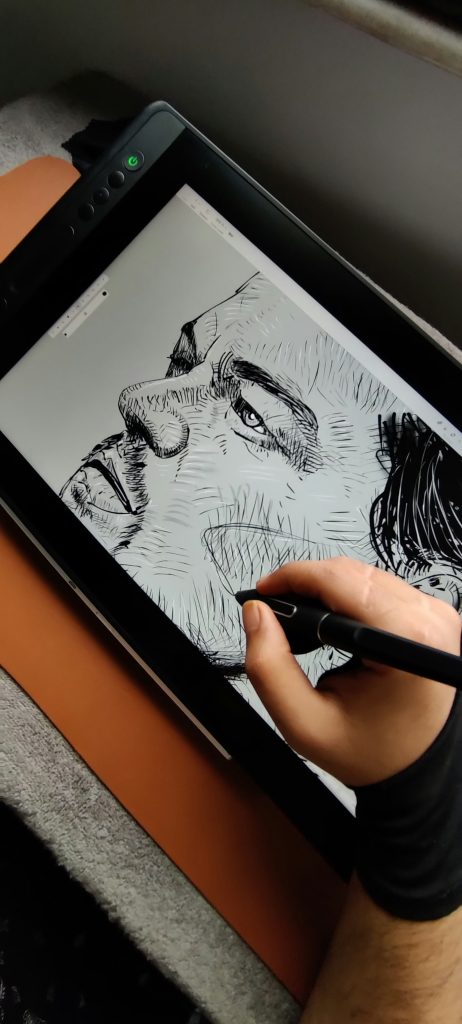
Upload a selfie to an AI cartoon generator, wait a few seconds, and get back a version of yourself that looks like a frame from an animated film. It feels like a trick. It is really a long chain of math, and once you see the chain, the odd results start to make sense.
A typical AI cartoon generator does not trace your face the way a person would with a pencil. It builds a new picture that sits close to your photo in some ways and close to a huge set of drawings in others. Everything else follows from that idea.
Two ways the machine draws
The older method is called style transfer. A neural network learns to split an image into content (a face, a dog, a kitchen table) and style (line weight, color palette, brush texture). It then keeps the content of your photo and swaps in the style of a reference illustration. Early photo-to-painting apps worked this way, and you can still spot the look: flat, slightly smeared, with the original photo’s lighting showing through.
The newer method uses diffusion models. These start from random noise and remove it step by step until a picture appears. The picture is steered by a text prompt, by your photo, or by both. When your photo is the guide, the model holds on to rough structure such as pose, head angle and the layout of the frame, then redraws the surface in the chosen style. You can read a technical overview of the diffusion model idea if you want the math.
This is why a modern AI cartoon generator can produce so many looks from the same upload: anime, comic book, watercolor, claymation. The style is mostly a matter of how the model is steered, not a separate program for each look.
Why the results sometimes feel strange
The model is guessing. If your photo is sharp and well lit, it has a lot to work with. If you are in shadow, wearing glasses, or half turned away, it fills gaps with whatever is statistically likely. That is how you end up with an extra finger, a smoothed-out birthmark or a hairstyle you never had.
Faces are the hardest part because people notice tiny errors in them. A slight shift in eye spacing reads as a different person. Many tools add a face-preserving step that compares the output to your original and nudges it back, but it never works perfectly.
Training data matters too. If the system saw far more of one kind of face than another, the cartoon version of a less-represented face may look generic or off. This is a known weakness of image models in general, and it is worth remembering when a result seems to miss what makes you look like you.
What happens to the photo you upload
This is the part most people skip, and it is the part worth a minute. When you use an AI cartoon generator, your image usually travels to a server, gets processed, and the result comes back. Whether the original is kept afterward depends on who runs the AI cartoon generator.
Check the privacy policy for three things. First, how long uploads are stored. Second, whether your photos can be used to train or improve future models. Third, whether you can delete your images and your account. If a policy is vague on all three, treat the app as a place you should not send photos of children, documents, or anything you would not post publicly.
There is also a quieter issue. A face is a biometric identifier, and some regions have rules about collecting it. A free cartoon filter that asks for access to your entire camera roll deserves extra suspicion. Give any AI cartoon generator a single photo instead of the whole library.
The same caution applies to voices and likenesses more broadly. If this topic interests you, our piece on ground rules for AI voice cloning covers a similar set of questions about consent and ownership.
Getting better results from an AI cartoon generator
You do not need to be a designer. A few habits improve almost every result.
Start with a clear, front-facing photo in even light. Window light on a cloudy day works better than a flash. Keep the background simple, because busy backgrounds confuse the model and bleed into the style.
Pick one look and stick with it for a set of images. If you are making avatars for a team or a family card, consistency matters more than the fanciest filter.
Try a lower strength setting if the tool offers one. Many apps let you control how far the output can drift from your photo. A lower setting keeps your features recognizable; a higher setting looks more like pure illustration.
Finally, treat the first result as a draft. Run it three or four times and choose the best. The randomness that makes one output odd can make the next one great.
If you like the idea of an AI that suggests visual ideas rather than just restyling, see how AI-picked boards choose what to show you, which uses a different kind of pattern matching on images.
Who owns the cartoon
Most apps say you own the output, but they also reserve broad rights to use it. Read that line before putting a stylized portrait on a product, a business card or a work profile. If the picture will earn money, look for clear commercial terms. The style may also echo artists whose work was in the training data, a debate that is still unsettled.
The short version: an AI cartoon generator is a clever guesser working from patterns, it is only as private as its policy says, and a good source photo does most of the work. Treat it as a toy with real consequences attached, and it will serve you well.



