

Years ago, the cash register was a dumb metal box. Today a point-of-sale system is closer to a small business computer: it takes payments, tracks stock, prints receipts, records sales and often runs loyalty programmes. Big payments companies have bought and launched such platforms over the years, which tells you how valuable the checkout counter is. If you run a shop, cafe or market stall, here is how to choose one without getting burned.
What a modern point-of-sale system actually includes
The term covers both hardware and software, and sometimes the payment processing behind it. Think of it as three layers that may or may not come from the same company.
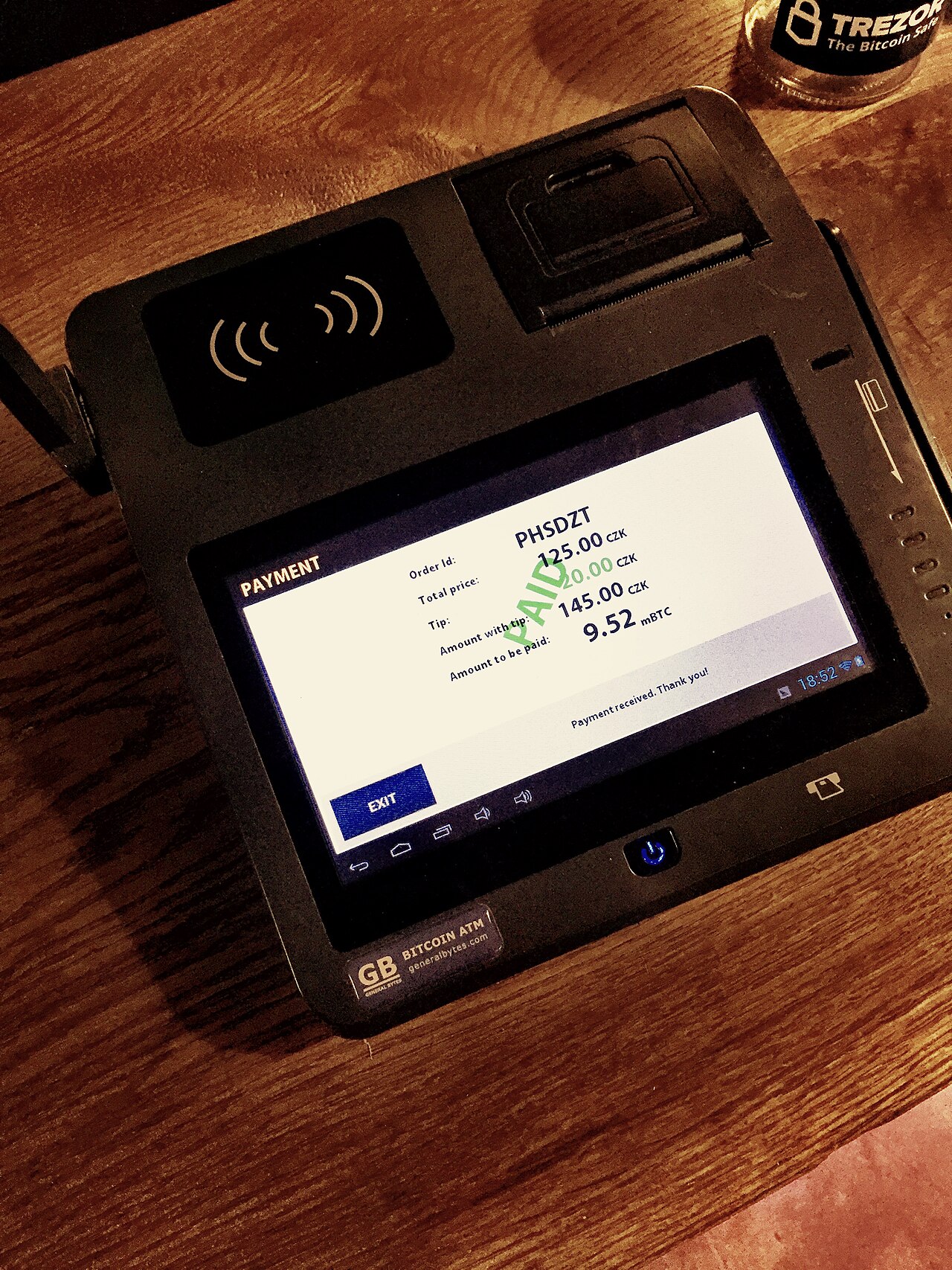
- Hardware: a screen or tablet, a card reader, a receipt printer, a barcode scanner and a cash drawer.
- Software: the program that rings up sales, applies discounts, manages products and produces reports.
- Payment processing: the service that moves money from the customer’s card or phone to your bank account.
Some point-of-sale system providers bundle all three and make money mainly from processing fees. Others sell software by subscription and let you choose a processor. A few let you bring your own hardware. When two quotes look wildly different, it is often because they bundle different layers, so compare like with like.
Start with how your shop really works
Before looking at brands, write down what happens at your counter on a busy day. A cafe needs fast table orders and tips. A clothing shop needs sizes and colours. A market stall needs to work with a patchy connection. The best point-of-sale system for one is a poor choice for another.
Useful questions include these.
- How many items do you sell, and do they come in variants?
- Do you need to track stock across more than one location?
- Will you take orders online, by phone or at tables?
- Do you have staff who need separate logins and limited access?
- What happens if the internet goes down?
That last one matters more than people expect. Some point-of-sale system designs keep working offline and sync later, while others stop completely. A shop that cannot take payments during an outage loses sales and goodwill.
The costs that hide in the fine print
The sticker price of a point-of-sale system rarely tells the whole story. Look closely at the following.
- Processing fees: usually a percentage per transaction, sometimes plus a fixed amount. Over a year these can dwarf the software cost.
- Monthly subscriptions: basic plans may leave out features that you later find you need.
- Hardware costs: buying outright, renting or financing all change the maths.
- Contracts and cancellation: some providers lock you in, and leaving can mean fees or losing your sales history.
- Extras: payroll, online ordering, gift cards and loyalty tools may each carry a separate charge.
- Payout timing: how quickly money reaches your account affects cash flow.
Ask for a full written list of charges for any point-of-sale system, and estimate your total on a normal month. Do not rely on a single headline rate, because different card types and sales channels can cost different amounts.
Features worth paying for, and ones to skip
It is tempting to buy the most feature-rich point-of-sale system on offer. Most small shops use a fraction of the available tools. Focus on the basics that save time every day.
Worth having: reliable payments, simple product management, clear daily reports, stock alerts, easy refunds and receipts by email or text. If you sell online too, make sure the online and in-person inventory stay in sync, so you do not oversell.
Often not worth it at the start: complex analytics dashboards you will never open, advanced marketing automation, or add-ons for businesses far larger than yours. You can usually upgrade later.
Data matters as well. Make sure you can export your sales records, product list and customer details. If you ever switch providers, that export decides whether the move is easy or painful.
How to compare and test before you commit
Do not choose a point-of-sale system from a website alone. Take the following steps.
- Shortlist two or three providers that fit your business type.
- Ask for a trial or demo with your own products loaded in.
- Have the people who work the counter try it, since they will use it all day.
- Read reviews from shops like yours, and treat very glowing or very angry ones with caution.
- Check security basics: card data should be handled by a compliant processor, and staff accounts should have limited access.
- Test customer support before you sign. Ask a question and see how quickly you get a clear answer.
Support is easy to undervalue until your card reader fails on a Saturday morning. A cheap point-of-sale system with slow support can cost far more than a pricier one that answers.
If you feel overwhelmed, narrow it down by asking three things. Does it do what my shop needs every day? Can I see all costs clearly? Can I leave without losing my data? If the answer to each is yes, you probably have a good candidate.
Remember that you are not choosing a point-of-sale system forever. Many businesses switch once or twice as they grow. Start with something simple and reliable, keep your records portable, and revisit the choice when your needs change. The best point-of-sale system is the one your staff can use without thinking, and that gets you paid on time.
For a neutral background reference, the Wikipedia article on Point of sale is a useful place to start.
Related reading: Microloans for Small Businesses: How They Work and Who They Help and Invoice Financing Explained for Small Businesses.


